by Accoxi, September 10, 2026
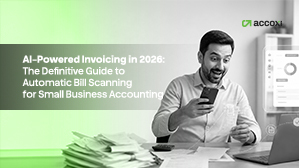
If you are already using apps for sending invoices or managing bills online, you know how much time is spent on data entry. Many small businesses do not realize that the accounting software for 2026 allows for bill scans, data extraction, and accounting entry automation. In this guide, you will learn what constitutes AI-powered invoicing, how it benefits small businesses, and what tools are best suited for small business owners in India.
AI-powered invoicing refers to financial management technology that recognizes, classifies, and extracts data from electronic invoices and paper bills. First and foremost, it's crucial to distinguish AI-driven invoice processing from traditional OCR programs. While both aim to digitize invoice data, OCRs perform as "scanners", capturing text on a page, whereas AI extracts the meaning behind words.
For instance, if you have a vendor's invoice where "Total Amount Due" is placed at the top left instead of the traditional bottom right, an OCR would fail to recognize it as a figure. On the contrary, AI uses natural language processing to detect keywords and understand context. This way, it becomes possible for digitize and organize documents efficiently for non-technical users.
When a bookkeeper manually enters data to correct bad captured information, the accounting application learns to avoid such mistakes in the future. 68% of small businesses achieve ROI from AI accounting software within 3 months of adoption. In essence, the more you use AI invoicing software, the more accurate it becomes and the faster it scans bills.
AI-powered invoicing has become essential because small businesses need AI-powered invoicing is now essential because small businesses require faster, more accurate and scalable accounting processes to handle growing invoice volumes and GST compliance.
Businesses across India are turning to digital accounting to help eliminate repetitive tasks and increase operational efficiency. As the number of invoices increases, manual bookkeeping becomes more time-consuming and can lead to costly errors.
Organizations around the world are continuing to increase investments in AI-driven business automation as part of their digital transformation efforts. — Source: IDC, 2025
Similarly, Deloitte’s State of AI in the Enterprise report highlights that companies using AI for business processes are experiencing tangible improvements in efficiency and productivity. — Source: Deloitte, 2025
At the same time, small businesses in India continue to face the following challenges:
Manual data entry simply doesn't scale well under these conditions.
For instance, a supermarket owner may receive invoices from dozens of suppliers every day. Typing every purchase manually increases the chances of entering incorrect GST values or duplicate invoices, leading to compliance issues later.
The accounting landscape is evolving rapidly. AI is no longer a feature reserved for large enterprises. Modern cloud-based accounting platforms now make intelligent invoice scanning accessible to small and medium-sized businesses at affordable costs.
Businesses that adopt AI-powered accounting today can:
In order for bill scanning to function, invoice data must be captured, pertinent fields must be extracted, and the information must then be entered into the accounting system. To create a bill on their behalf, a business owner could, for example, scan a PDF and have their accounting software identify the invoice number and amount owed. The following steps are usually involved in the process:
AI is capable of automating a number of repetitive invoice processing operations, particularly those that are time-consuming but do not need complex judgment. AI is capable of reading bills, categorizing spending, sending reminders, and preparing documents for reconciliation, for instance.
AI-powered invoicing works well when a business handles regular bills, receipts, or payment procedures on a monthly basis. While a freelancer with few client bills might simply need basic automation, a growing SMB might need full approval routing and spend tracking.
Cloud-based platforms that integrate seamless ledger connection with automatic data extraction are the best AI-powered invoicing solutions for small businesses. First, there are several paperless accounting systems on the market; however, genuine AI solutions differentiate themselves by providing end-to-end automation. By integrating AI for invoice data extraction into their core ledger functionality, platforms such as Accoxi lead the way and do away with the need for costly third-party interfaces.
Next, it's critical to assess tools according to their unique feature sets and usability. Platforms that provide multi-currency compatibility, mobile receipt capture, and configurable approval workflows should be given priority. Let's examine a quick comparison of the features that leading platforms will provide in 2026:
Software Feature |
Basic OCR Tools |
Advanced AI Systems (Like accoxi) |
Benefit to Business |
|
Data Extraction |
Template-based, rigid |
Contextual, template-free |
Handles any invoice format automatically. |
|
Categorization |
Manual selection required |
Predictive machine learning |
Eliminates manual ledger coding. |
|
Fraud Detection |
None |
Real-time anomaly alerts |
Prevents overpayments and scams. |
|
Bank Syncing |
Batch processing |
Real-time reconciliation |
Keeps cash flow metrics up-to-the-minute. |
AI invoicing can be used by small organizations by starting with a single step, checking its accuracy, and then extending only once the workflow has stabilized. For instance, a business may start by scanning receipts, then proceed to capture invoices, and finally add approval routes.
You lower risk and gain confidence by starting small. Teams desire quantifiable time savings and fewer repetitive work, which is why finance automation adoption is still growing, according to UiPath.
Selecting accounting software is about choosing a platform that supports your complete business operation, not just about automation.
Accoxi combines features created especially for Indian enterprises with AI-powered invoice production, such as:
Businesses may handle invoicing, accounting, inventory, and compliance from a single platform instead of jumping between various apps.
For instance, using the same software, a retail business owner can record GST purchases, reconcile bank transactions, scan supplier invoices, update stock levels, and create financial reports.
This integrated strategy increases operational efficiency while lowering complexity.
AI-powered invoicing is transforming small business accounting by eliminating tedious tasks and improving the speed, cleanliness, and management of billing processes. For instance, automatic bill scanning can increase accuracy and cash flow over time while also saving time now.
Furthermore, combining automation with human inspection yields the greatest outcomes. That method allows you to move quickly without sacrificing control, which is precisely what small firms require as they grow.
Small firms can begin AI invoicing by automating a single operation, such as receipt scanning or invoice capture, before progressing to comprehensive accounts payable workflows. If you want a practical place to start, pick one repetitious billing process and improve it this month.
Accoxi is an online accounting software for small businesses that allows for more effective invoicing and bookkeeping procedures. If you want to work faster, avoid errors, and keep accounting manageable as your business grows, this is the way to go.
AI-powered invoicing is software that gathers invoice data, extracts essential fields, and automates billing operations with minimum human intervention. For example, a vendor PDF can be scanned and converted into a bill record that already includes the vendor's name, total, and due date.
Automatic bill scanning involves reading invoices or receipts, extracting structured data, and routing the document for inspection or approval. It typically involves four steps: capture, OCR reading, data validation, and approval workflow.
Invoice scanning uses OCR technology to translate text from scanned documents, images, or PDFs into editable data. For example, a receipt image can be transformed into fields such as date, total amount, and vendor name.
AI invoicing is crucial because it saves time, decreases data entry errors, and allows small firms to process bills more quickly. It also boosts cash flow by accelerating approval, reminder, and payment workflows.
Yes, artificial intelligence invoice scanning helps GST compliance by reliably retrieving GST-related information such as GSTIN, tax percentages, invoice dates, and taxable amounts. This avoids manual errors and enables firms to keep organized financial records for GST reporting and audits.
No, AI will not fully replace accountants. AI is intended to automate monotonous bookkeeping processes, not to replace expert accountants. While AI may scan invoices and create accounting entries, accountants continue to serve an important role in evaluating financial records, ensuring compliance, generating reports, and offering strategic financial advice.